GHS symbols on the product
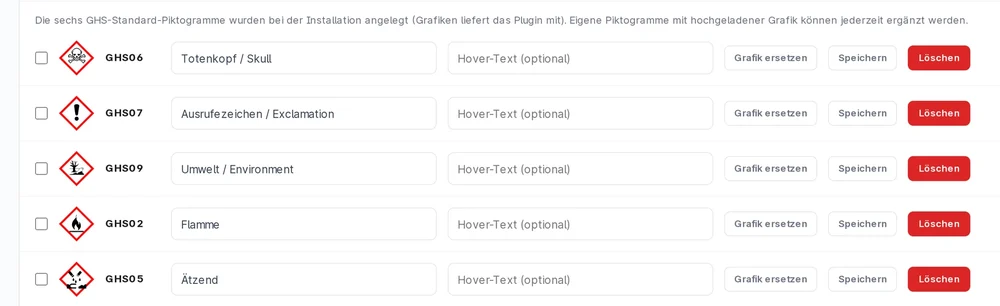
The six bundled GHS pictograms can be assigned per product: GHS02, GHS05, GHS06, GHS07, GHS08 and GHS09. Custom graphics can be uploaded on top.
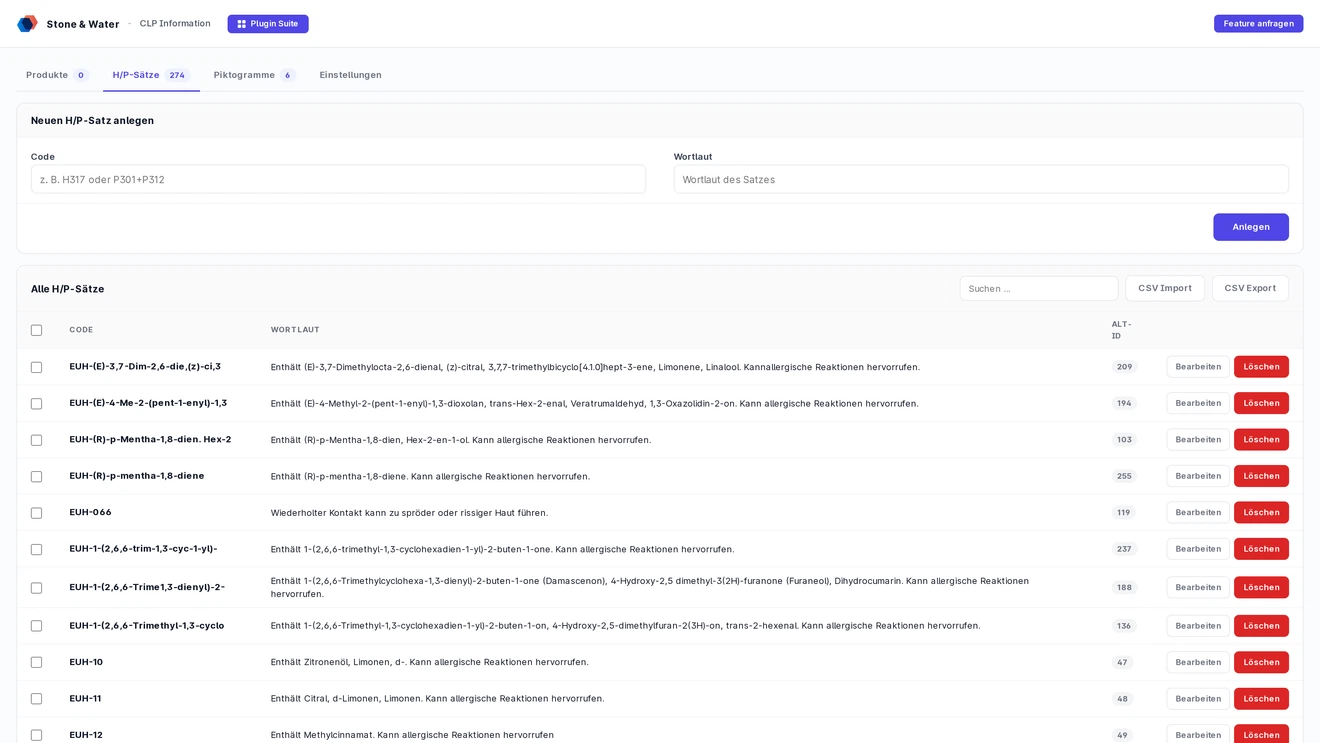
GHS pictograms, signal word, H and P statements and free text on the product detail page. 274 statements and six pictograms are there from installation.
Anyone selling chemicals, cleaning products, paints or cosmetics has to label them under the CLP regulation. The plugin puts those details on the product detail page in a structured way - maintained in the Shopware admin instead of buried in the product description.
The six bundled GHS pictograms can be assigned per product: GHS02, GHS05, GHS06, GHS07, GHS08 and GHS09. Custom graphics can be uploaded on top.
The signal word is set per product and rendered prominently in the storefront.
Installation seeds 274 H, P and EUH statements with their full wording. Assign instead of retyping.
A free text field per product for anything the standard statements do not cover.
How prominent the information sits is up to you. The storefront heading reads "Einordnung nach CLP-Verordnung", the expander is labelled "Weitere Informationen".
The CLP details appear in the buy box, below the product description, or in both places.
H and P statements can be expanded on page load or only appear after a click.
If you prefer, pictograms, signal word and free text move into the expander as well.
If codes such as H317 or P102 should not be shown, the code column can be hidden - only the statement text remains, across the full width.
The effort is not in the display, it is in the assigning. That is exactly what the admin module is built for.
Search and collect products one after another, then save signal word, pictograms, statements and free text for all of them together.
Instead of individual products a dynamic product group can be picked. The assignment is created for every product in the group, up to 2500 per operation.
Where an assignment already exists, a confirmation dialog lists the affected products before anything is replaced.
A variant without its own assignment automatically falls back to the parent product. No per-variant maintenance.
The master data stays movable: statements and pictograms can be exported as CSV and fed back in.
Export as UTF-8 CSV with semicolons, import as an upsert on the code column. Existing codes are updated, new ones created, nothing is deleted.
Create your own pictograms with code, name and graphic (SVG, PNG, JPG, WebP). The file goes into the Shopware media manager.
The CSV can carry an image URL. The image is fetched server side and assigned, unchanged URLs are skipped.
Each pictogram can carry a hover text. It appears as a tooltip and is also set as the alt attribute.
This is the Shopware 6 edition of an established Shopware 5 plugin. Migrating does not cost you your data.
The original IDs from Shopware 5 are carried along as legacy_id so existing product assignments can be mapped across by ID.
The plugin runs on Shopware from 6.6 up to and including 6.7.
The data lives in dedicated tables rather than in free text fields on the products.
Two routes, the same feature set - pick whichever suits your setup.
All prices net, plus VAT.
You buy the licence directly from us and get an invoice from us. Install by upload in the admin without SSH, updates through our licensing platform, support straight from the developer.
The plugin will be listed in the official Shopware Community Store. Installation and automatic updates then run through the plugin manager, billing through your Shopware account. We will link it here as soon as it is live.
For each product you assign a signal word, GHS pictograms, H and P statements and a free text. The details appear on the product page in the buy box, below the description or in both places.
No. Installation creates 274 H, P and EUH statements with their full wording plus six GHS pictograms (GHS02, GHS05, GHS06, GHS07, GHS08, GHS09). You can add your own statements and pictograms, and master data can be imported and exported as CSV.
Yes. You collect several products or pick a dynamic product group, up to 2500 products per run. Variants without their own assignment automatically inherit the details of the parent product.
Shopware 6.6 up to and including 6.7. It is the Shopware 6 version of a Shopware 5 plugin, and the old IDs are kept as legacy_id so existing assignments can be carried over.
Buying direct costs 14.99 euros net per month or 152.90 euros net per year. Paying yearly saves you 15 percent. All prices plus VAT.