Depth of your choice
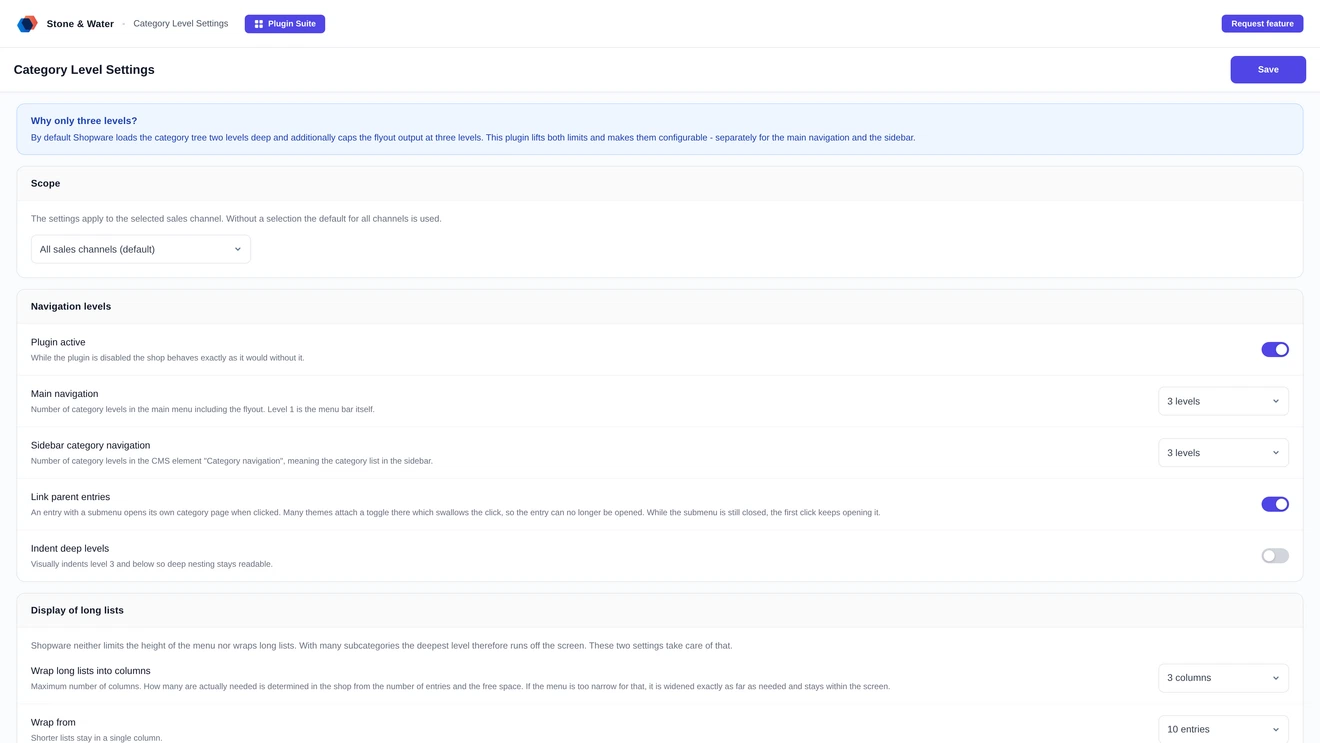
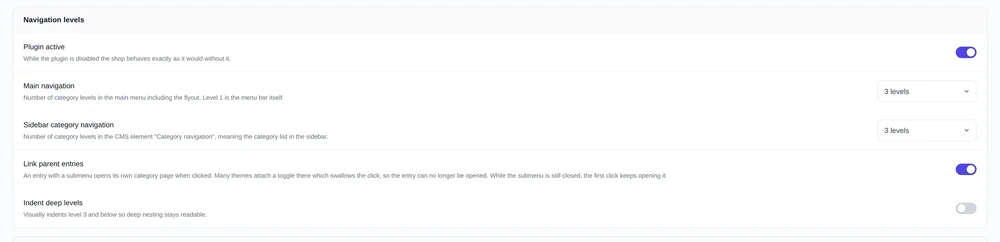
The number of category levels in the menu is freely configurable. The default matches Shopware behaviour exactly, so nothing changes until you change it.
Shopware shows three category levels in the menu and stops there. A deeper catalogue loses its bottom step from view. This plugin makes the depth configurable, separately for main navigation and sidebar, and lays out long lists properly.
Shopware fixes the menu depth at three levels in the template. A catalogue of manufacturer, series and model therefore cannot show its last step at all. The plugin lifts that limit and also handles what happens when a level holds a great many entries.
The number of category levels in the menu is freely configurable. The default matches Shopware behaviour exactly, so nothing changes until you change it.
Both areas have their own setting. Four levels in the header menu and two in the sidebar, or the other way round. What suits one area need not suit the other.
Every value can be set per sales channel. A B2B channel with a deep spare parts tree and a lean consumer shop can open to different depths within the same system.
From a configurable number of entries a list is laid out in several columns. How many are actually needed is worked out in the shop from the number of entries and the space available.
The height is limited to the visible area and ends flush with an entry edge. If the menu is too narrow, it is widened exactly as far as needed and stays within the window.
An entry with a submenu opens its own category page when clicked. Many themes attach a toggle there which swallows the click. The plugin clears the way again.
Three levels are enough for a flat range. As soon as spare parts, models or product lines come into play, the fourth level is no longer a nicety but the step at which the customer finds what they came for.
Accessories, spare parts, atomisers, then the individual models: only the fourth level holds the part being looked for. Without it there is only search, and some customers leave before that.
Brand worlds with series and variants quickly produce four or five sensible steps. The catalogue reflects them, and so should the menu.
A model list with eighty entries runs off the bottom of the screen in any standard theme. That is exactly what the multi-column layout and the height limit are for.
A module of its own inside the Stone & Water plugin suite, in the familiar interface. No configuration file, no theme build, no console.
Number of levels in the header menu, between 2 and 10. The default matches Shopware behaviour.
Number of levels in the sidebar category navigation, independent of the main navigation.
Maximum number of columns for long lists. How many are actually used is calculated in the shop.
From how many entries a list becomes multi-column. Short lists stay untouched.
Limits the height to the visible area, with a scrollbar if the columns alone are not enough.
A button shows how many category levels actually exist in the selected sales channel, so it is clear which value makes sense at all.
Decoration instead of a core patch, no interference with the theme structure, no theme build. Installed by upload in the admin.
The menu depth is raised through decorated services: NavigationLoader for the tree, the header pagelet loader for the main navigation and the CMS resolver of the category navigation for the sidebar. Shopware default behaviour is preserved until something is changed.
Both areas use the same core. A request-scoped context remembers which area the call came from and raises the depth only there. The offcanvas menu is left untouched.
The plugin adds no extra element to the menu. The layout is handled by an embedded stylesheet appended to the response, regardless of which Twig blocks a theme overrides.
Targeting relies on the class convention shared by Shopware and the themes derived from it. Nested submenus are detected and never clipped.
With the parameter ?stawcd=debug in the address the plugin writes a report to the browser console: active settings, matched lists and, per list, each condition individually. Without the parameter the console stays quiet.
After saving, the affected navigation cache entries are invalidated automatically. Clearing the storefront cache by hand is only needed when a reverse proxy sits in front.
Validation runs against our licence platform with short-lived caching. If the server is unreachable, the last known state remains in force.
Menu depth in Shopware and what changes with it.
Shopware shows three levels in the menu. Anyone structuring deeper loses the lowest tier from view because it no longer appears in the navigation.
With this plugin you set the depth freely, separately for main navigation and sidebar. No theme rebuild is needed; the setting lives in the Shopware admin.
Buying directly costs 2.99 euros net per month or 30.50 euros net per year. Paying yearly saves 15 percent. All prices are net and exclude VAT.
For that there is a multi-column layout with a configurable wrap point, an overflow limit and the option to indent deep levels. Long lists stay readable.
Two routes, the same feature set - pick whichever suits your setup.
All prices net, plus VAT.
Download the free Plugin Suite and upload it in the admin, no SSH needed. It installs and updates the plugin with one click. You buy the licence directly from us, with an invoice from us and support straight from the developer.
The plugin will be listed in the official Shopware Community Store. Installation and automatic updates then run through the plugin manager in the backend, billing through your Shopware account. We will link it here as soon as it is available.