Mandatory or optional
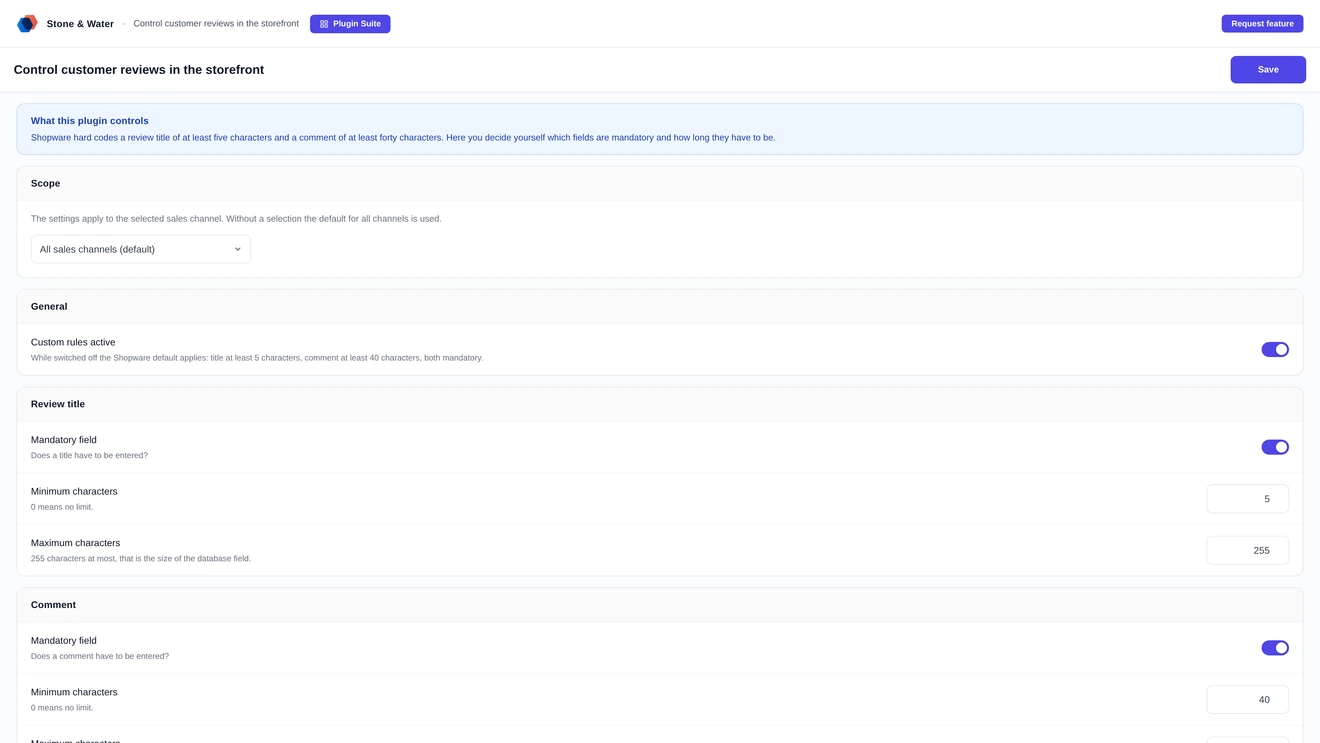
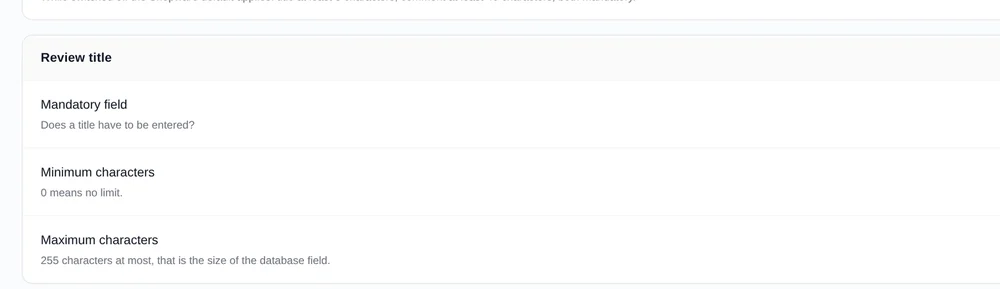
The title can be switched between mandatory and optional. Minimum and maximum characters are yours to set, the field holds up to 255.
Shopware asks for a review title of at least five characters and a comment of at least forty. Hard coded, with no setting for it. This plugin puts the rules in your hands - per sales channel.
The review form has three fields: title, comment and stars. For each of them you decide whether it has to be filled in and within which limits.
The title can be switched between mandatory and optional. Minimum and maximum characters are yours to set, the field holds up to 255.
The lower limit is free to choose, or none at all. Upwards, up to 60,000 characters are possible when detailed reports are welcome.
The star rating can be mandatory or dropped entirely. The permitted range is set between one and five stars.
When a field is not mandatory, the form tells the customer. Nobody has to guess what needs filling in and what does not.
Forty characters are more than most customers want to write. Lower the hurdle and you get more reviews - and reviews sell.
Anyone who just wants to write "Fits, would buy again" fails the Shopware requirement and gives up. The review is lost.
Short feedback is as useful to other buyers as long feedback. Set the lower limit to ten characters and see what happens.
Twenty short reviews carry more weight on a product page than two detailed ones. For rich snippets the count is what matters anyway.
Instead of the generic Shopware message you can store your own text per rule, in German and English.
A B2B channel needs different rules than an outlet. That is why the settings apply either globally or to a single sales channel.
A select list switches between the default for all channels and the values of one specific channel.
A channel without its own setting picks up the global value automatically. The interface shows which case currently applies.
A channel's own values can be removed at any time, after which the global setting takes over again.
With the rule check switched off, Shopware behaves exactly as it would without the plugin. No in-between state, no residual risk.
Rules nobody knows about lead to error messages. So the field states what is needed before anything is submitted.
Below title and comment it says how many characters are expected. It can be switched off if the form should stay lean.
A counter shows the current number of characters and, where set, the upper limit alongside it.
As long as the minimum length is not reached the counter shows in red. After that it returns to its normal appearance.
Every rule can carry its own text in German and English. Left empty, the Shopware message applies.
No core changes, no copied template. The plugin attaches itself at the intended points and can be removed without a trace.
Validation happens where Shopware validates itself - server side on save. A tampered form does not get past the rules.
The review form is extended via sw_extends, not replaced. Your theme changes to other blocks stay untouched.
If the licence is not active, the Shopware default applies. The shop keeps running as before, only the custom rules stay off.
Built and tested for Shopware 6.7. Installed by upload in the admin, no SSH access needed.
What can be configured about Shopware reviews.
The plugin makes the rules for reviews configurable: which fields are mandatory, how long title and comment have to be at minimum and maximum, each of them per sales channel.
Yes. The messages shown when a rule is violated can be phrased freely so they match the tone of your shop rather than sounding like a system message.
Buying directly costs 4.99 euros net per month or 50.90 euros net per year. Paying yearly saves 15 percent. All prices are net and exclude VAT.
Two routes, the same feature set - pick whichever suits your setup.
All prices net, plus VAT.
Download the free Plugin Suite and upload it in the admin, no SSH needed. It installs and updates the plugin with one click. You buy the licence directly from us, with an invoice from us and support straight from the developer.
The plugin will be listed in the official Shopware Community Store. Installation and automatic updates then run through the plugin manager in the backend, billing through your Shopware account. We will link it here as soon as it is available.